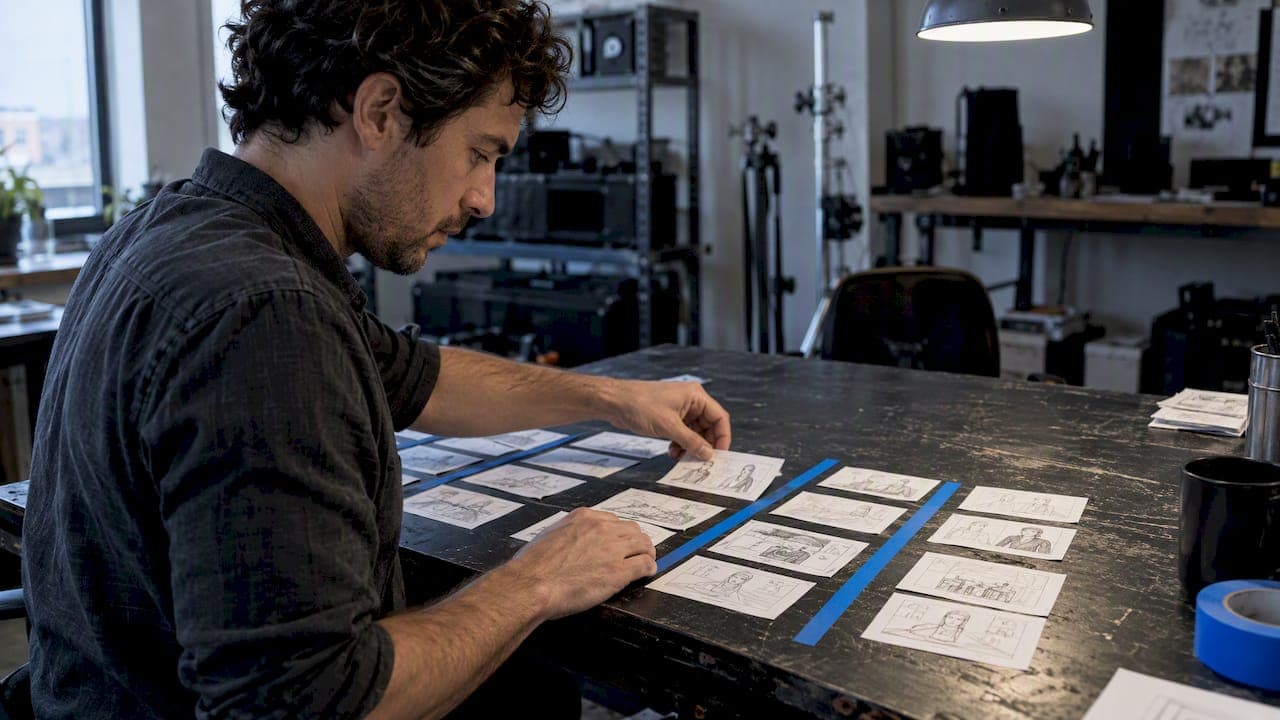
Board to the track: plan each shot with bar/beat and duration fields so the edit locks to the song. A music-video storyboard is a shot-by-shot plan built on the track rather than the clock, and the single most useful habit you can adopt is boarding to bars and beats, not timecode. At minimum, each frame needs a bar reference, a duration in bars, a lyric or section cue, and a layer tag.
TL;DR:
- Put bar and beat start points, duration in bars, lyric or section cue, action, camera, and performance or narrative layer on every frame.
- Build each panel as a 16:9 master with a marked 9:16 safe area; three frames fit on an A4 landscape page.
- Plan about 40 to 80 frames for a typical three to four minute video, counting distinct camera setups rather than every second onscreen.
- Approve the chorus or hook first, then extend the board to verses and the bridge; send an early draft to the DP and production team.
- Commission a storyboard artist for shoots across several locations, heavy visual effects, or frequent layer changes; simple single location performance videos can be boarded in house.
Table of Contents
- What makes a music video storyboard different
- Template fields every music video storyboard needs
- Step-by-step workflow for boarding a music video
- How many frames to plan per song section
- Turning boards into an animatic
- Who reviews the board and what to send them
- Practitioner checklist and template specs
- DIY boards versus commissioning a pro
- Moving from storyboard to finished video with Brix36
- FAQ
- Sources
What makes a music video storyboard different
A commercial or film storyboard tracks dialogue, action beats and seconds on a clock. A music-video storyboard tracks the song's structure, because the edit will eventually be cut to the track, not the other way around. That single difference changes almost everything about how you plan frames.
Most music videos run on two layers that intercut throughout the piece:
- Performance layer: the artist lip-syncing or playing, usually the backbone of the chorus.
- Narrative or atmosphere layer: story beats, abstract visuals, or mood footage that breaks up the performance.
- Transition points: moments where the two layers swap, usually on a bar boundary or a lyric cue.
The chorus needs its own visual identity that a viewer recognizes each time it returns, then escalates with a new angle, a different lighting state, or a wider frame on a later pass.
Template fields every music video storyboard needs
A working template has to carry enough information that someone who wasn't in the concept meeting can execute the shot without asking you a question. Generic filmmaking grids tend to skip the one column that matters most for a music video: timing against the track, not the clock.
Build each frame around these fields:
- Frame number: sequential, matching the animatic later.
- Frame image: the drawn or rendered panel itself.
- Bar/beat: the bar number and beat where the shot starts.
- Duration (bars): how many bars the shot holds before the next cut.
- Lyric/section cue: the lyric line or section name (verse 2, pre-chorus) tied to that frame.
- Action: a one-line note on what happens in frame.
- Camera: lens, movement and angle.
- Layer: performance or narrative/concept.
- Vertical-safe box: a dashed guide showing what survives a 9:16 crop.
A practical layout puts three frames per page on an A4 landscape sheet, each frame built as a 16:9 master with a dashed 9:16 box inside it for social cuts. Tagging bars instead of timecode and locking a lyric cue to every frame keeps the editor from mis-timing a cut later, and it saves real time on set because nobody has to recalculate where a shot falls once the tempo or edit changes.
Step-by-step workflow for boarding a music video
Start with the track, not the camera. The order below moves from structure to frames so you're never drawing a panel before you know where it sits in the song.
- Map the song to bars. Write out section bar ranges for the intro, verse, chorus, bridge, drop and outro before you sketch anything.
- Assign layers to sections. Decide roughly what percentage of each section is performance versus narrative, then tag sections accordingly.
- Set shot length in bars per section. Verses usually hold longer takes; choruses and drops typically call for faster cutting.
- Board the hook first. Get the chorus or hook signed off before boarding anything else, since it sets the visual template you'll repeat and escalate.
- Extend to verses and bridge. Fill in the remaining sections once the chorus identity is locked.
- Label camera moves and durations. Use arrows for movement, one-line action notes, and durations written in bars rather than seconds.
- Route the first pass for feasibility. Send the draft to your DP and production team to flag unrealistic setups and adjust shot count before you finalize anything.
Pro Tip: When the chorus repeats, board it in a way that defines its identity and shows how it escalates, which saves you from reinventing the shot on set.
How many frames to plan per song section

Frame count should track shot changes, not seconds. A practitioner guide to music-video boards suggests planning 40 to 80 frames for a typical three- to four-minute video, with higher counts for narrative or VFX-heavy projects.
Rough ranges by section:
- Intro: use enough frames to establish the opening section.
- Verse: 6 to 12 frames.
- Chorus/hook: 8 to 16 frames, since repeats often need escalated angles.
- Bridge: 4 to 10 frames.
- Drop/instrumental: 10 to 20 frames, where fast cutting is common.
- Outro: use enough frames to plan the ending.
A performance-led video shot mostly in long takes sits at the low end of these ranges, while a fast-cut concept piece with heavy narrative intercutting pushes toward the high end. Board each distinct camera setup, not every second of screen time. Two bars of the same wide shot don't need two frames; a new angle, lens or layer does.
Turning boards into an animatic
An animatic is the bridge between the storyboard and the shoot: a compiled, timed sequence of your frames cut to the actual track. It's the cheapest way to catch a pacing problem before a camera ever rolls.
To build one:
- Match each frame's screen duration to its bar count in your edit software.
- Burn bar and beat markers onto the frames so timing errors are visible at a glance.
- Export as an MP4 with the song as the audio bed, not a placeholder track.
Reviewers expect the animatic to play in time with the music, show clear bar and beat markers, and demonstrate how the performance and narrative layers intercut across a section change. If the chorus feels rushed or the bridge drags, this is where you catch it, long before a crew is standing around waiting for a fix.
Who reviews the board and what to send them
A storyboard only works once the right people have looked at it. Route your first full pass to your director of photography for feasibility, your first AD for scheduling, production for locations and props, a choreographer if performance timing matters, and the label or client for sign-off.
Send along:
- The director's treatment and a link to the track or rough mix.
- A shot list, visual references and the deadline.
- Aspect ratios needed and whether an animatic is required before the shoot.
Pro Tip: If a scene involves a drone move or an aerial establishing shot, loop in a specialist like Wye Valley Aerial early so the shot list and timing arrows match what the equipment can actually deliver.
Three mistakes cause most rework: boarding to timecode instead of bars, over-boarding long static takes that didn't need extra frames, and finalizing the board before locations and logistics are confirmed.
Practitioner checklist and template specs
A short checklist covers most of what separates a usable board from a pretty one:
- Map every section to bar ranges before drawing a single frame.
- Board the chorus or hook first and get it approved.
- Label every frame's duration in bars, not seconds.
- Include a dashed 9:16 safe box for social cuts on every frame.
- Route the draft to your DP and production team before locking it.
Template spec recap: 16:9 master frame, dashed 9:16 vertical-safe area, fields for bar/beat and duration in bars, three frames per A4 landscape page.
| When to commission a pro | Why |
|---|---|
| Multiple locations in one shoot day | Scheduling complexity needs a dedicated storyboard artist |
| Heavy VFX or compositing | Frame-accurate previz reduces costly reshoots |
| Frequent layer intercutting | Clear visual logic prevents confused handoffs between editors |
DIY boards versus commissioning a pro
A simple, single-location performance video with light intercutting is well within reach of a DIY board: map the bars, sketch the chorus, send it to your DP. A multi-location shoot, heavy VFX, or frequent intercutting between layers usually justifies a dedicated storyboard artist who can keep the visual logic consistent across dozens of frames.
A pay-as-you-go creative platform fits neatly in between: you can push an animatic through several quick iterations without committing to a subscription, which matters most when a label is still deciding on a direction. Whatever the scale, start from the bar map, not the camera.
— simeon
Moving from storyboard to finished video with Brix36

Once your boards and animatic are locked, we built Brix36 to carry that section-based plan straight into production. Our platform supports storyboarding by song section, offers AI lip sync that follows your lyrics, and applies one-tap looks so a locked chorus identity translates directly to footage.
- We price everything in pay-as-you-go credits, so you don't need a subscription.
- Our AI lip sync music videos tool lets you create videos with AI lip sync.
- Our Artist DNA feature keeps a performer consistent across every section you've mapped.
Check credits and pricing to see what a full production run would cost before you commit.
FAQ
How do I storyboard a music video?
Map the song's sections to bar ranges first, then board the chorus or hook before anything else. Fill each frame with bar/beat timing, a duration in bars, a lyric cue, action notes and a camera note, then route the draft to your DP and production team for a feasibility check.
Can ChatGPT generate storyboards?
AI tools can help draft visual ideas or frame descriptions, but the visual logic, meaning the emotional arc, point of view and world rules, needs to come from a human director first. AI works best executing a direction that's already been set, not replacing that creative decision.
What are the 7 steps of storyboarding?
A practical sequence covers setting up a template, reading the lyrics or treatment closely, inserting visuals, adding camera and action notes, collaborating with your team for feedback, compiling an animatic, and exporting the final boards as a PDF for the crew.
What makes a strong music video storyline?
Strong storylines build a clear emotional journey tied to the song's structure, define a consistent point of view, and give the chorus a visual identity that escalates on each repeat. Before boarding or generating any shots, it helps to set the song's promise and emotional arc so every frame serves the same story.
Sources
- How to Storyboard a Music Video: Free Template (PDF) & Frame Counts — Seb Antoniou
- How To Plan Storyboards For Ad Shoots: A Practical Guide (2026)
- How to Make a Music Video Storyboard FREE Template