
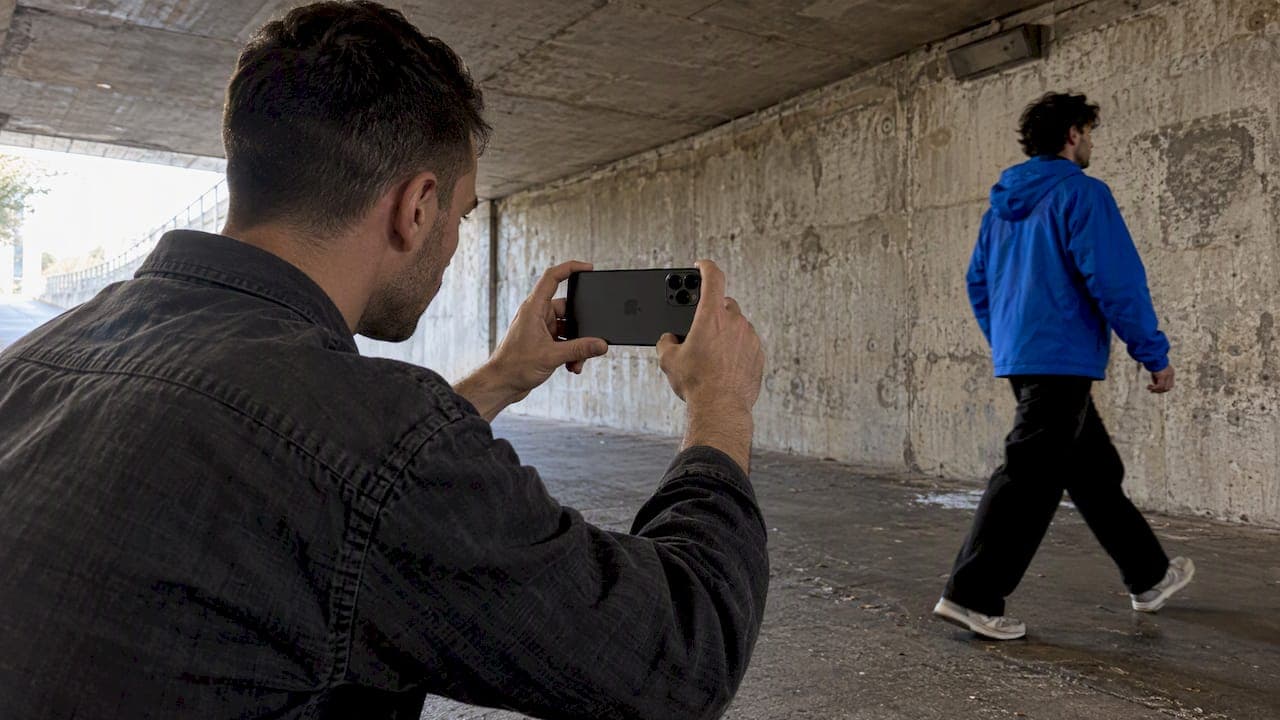
Mobile filmmaking means making real films, music videos and ads with a phone as the main camera. You don't need a new phone to start. You need a locked-down exposure, steady framing, decent sound and a plan for the edit. Gear matters less than those four habits, and this guide walks through each of them, from the first setting you change to the way you finish the piece.
TL;DR
- Any recent flagship phone can shoot footage good enough for a short film. Shoot 4K, lock exposure and focus, and move your feet instead of zooming.
- Sound is the first thing audiences notice. Record in a quiet room or add an external microphone.
- Pro productions use phones deliberately, with manual-control apps, rigs and unstabilized footage. You can borrow the principles without the budget.
- Plan storage early. High-bitrate formats fill a phone fast, and a USB-C SSD solves it.
- Plan the film in sections before you shoot, and use AI tools to cover what the phone can't capture.
Table of Contents
- Why phones became a serious filmmaking tool
- Choose a phone without overspending
- Set up the camera before you press record
- Frame and move like a filmmaker
- Light the scene, don't hope for it
- Capture sound that doesn't distract
- Manage storage and your workflow
- Our perspective: the phone is the camera, not the whole production
- Extend your phone footage with Brix36
- A one-day shoot plan for your first short
- FAQ
- Sources
Why phones became a serious filmmaking tool
The clearest proof is a $100 million theatrical release. Danny Boyle and cinematographer Anthony Dod Mantle shot 28 Years Later primarily on iPhone 15 Pro Max phones, alongside action cameras, drones and other cameras. According to GQ's report, the choice was about artistic agility and a raw, lonely look for an abandoned world, not just saving money. The production also worked with Apple and Blackmagic on custom app configurations to get around standard consumer image processing.
That last detail is the lesson. Even on a blockbuster, the phone was treated as a camera, not a toy. The team took control of exposure, color and processing instead of accepting automatic settings.
If you are curious how far the phone-on-set idea goes, there's a useful angle in asking whether the director's seat suits you at all. This career-fit assessment for aspiring film directors is a light way to reflect on your strengths before you commit to a big project.

Choose a phone without overspending
The phone you already own is probably enough for a first short. If you are upgrading, here is what the current reviews say.
As of October 2026, one 2026 camera-phone test cites the iPhone 17 Pro Max as the top overall pick for filmmaking, thanks to 4K 120 fps ProRes recording, Apple Log 2 for grading and strong software optimization. The same review names the Samsung Galaxy S26 Ultra for its manual control and the Google Pixel 10 Pro for AI-driven stabilization. It places these phones at roughly $999 to $1,299.
Before you spend that, consider what you will really shoot:
| If you mostly shoot... | Prioritize | Skip |
|---|---|---|
| Music videos and performance | Low-light quality, stabilization that survives walking | Maximum megapixels |
| Narrative shorts | Log or 10-bit video, manual controls, storage | 8K recording |
| Ads and social content | Fast turnaround, vertical framing, clean audio | Cinema lenses |
| Slow-motion b-roll | High frame rates at 1080p | Heavy rigs |
Resolution is a good example of where specs mislead. One 2026 phone roundup notes that 4K at 30 or 60 fps covers almost every long-form need, that 1080p at 120 or 240 fps is more useful than 8K for slow motion, and that 8K is mostly for cropping flexibility. The same piece says only the Galaxy S26 Ultra and Pixel 10 Pro shoot 8K.
A practical rule: pick the phone with the best low-light performance in your budget. Reviewers keep returning to this because a phone that only performs in bright daylight will fail you in indoor and late-afternoon shoots.
Set up the camera before you press record
Most bad phone footage is bad because of automatic decisions. Fix them in this order.
- Clean the lens. Fingerprints cause the hazy, smeared highlights people mistake for a cheap look.
- Choose resolution and frame rate. 4K at 24 fps gives cinematic motion. Use 30 fps for fast online delivery and a higher rate only when you plan slow motion.
- Lock exposure, focus and white balance. Auto exposure that drifts mid-shot is the quickest way to look amateur.
- Turn on grid lines to frame with the rule of thirds.
- Switch to airplane mode and clear notifications so a call doesn't interrupt a take.
- Check storage. More on that below.
If your native camera app hides these controls, use a manual app. The free Blackmagic Camera app for iPhone and iPad puts lens selection, frame rate, shutter angle, ISO, white balance and audio levels on screen, and records in Apple ProRes or H.264 and H.265. Professional productions use third-party apps like this for the same reason: manual shutter, ISO and log profiles, as Filmmaker Magazine's interview with the 28 Years Later cinematographer describes.
A note on stabilization
Beginners should leave stabilization on. It is what lets handheld walking shots look smooth. Pros sometimes do the opposite: cinematographers on 28 Years Later worked with unstabilized footage so VFX and post stabilization could be handled in editorial. If you plan heavy compositing or your own stabilization pass, try both and compare. Otherwise, keep it on.
Frame and move like a filmmaker
Cinematic phone video is mostly about the choices a phone can't make for you.
Move in, don't zoom. Educators at the University of Reading say physically moving closer is better than digital zoom, which degrades image quality. Use the phone's real lenses (wide, main, telephoto) and walk the rest.
Use the rule of thirds. The same source points out that the most impactful mobile content relies on composition and careful lighting more than expensive gear.
Respect the 180-degree rule. Film grammar has a few spatial rules, and a film-language primer notes they can all be broken for dramatic effect. Know them first. Keep two characters on the same sides of the frame from shot to shot, and your audience won't get lost.
Vary your shots. For every scene, capture a wide shot to establish the space, a medium shot for action and a close-up for emotion. Then add two inserts: hands, a doorknob, a screen. Inserts are what make editing easy.

Move with intention. A slow push-in, a walk-and-talk, a lateral slide on a small gimbal. If a move has no reason, hold the shot still.
Light the scene, don't hope for it
Phone sensors are small, so they reward you for controlling light and punish you for ignoring it.
- Shoot near a window. Soft side light from a large window does more than any gadget.
- Avoid mixed color temperatures. Turn off ceiling bulbs when you use daylight.
- Protect the highlights. Tap on the brightest part of the face and lower exposure slightly. You can lift shadows in the grade, but blown highlights stay blown.
- Use the golden hour for exterior scenes, or shoot in open shade at midday.
- Add one practical light. A lamp in the frame gives depth and motivates the look.
If you record in a log profile, the image will look flat on purpose. That is the starting point for a grade, not a mistake. Our guides on LUT color grading and building a believable film look with free LUTs cover how to correct first and then add the look.
Capture sound that doesn't distract
Experienced creators say they wish beginners knew this earlier: audiences forgive low resolution more readily than poor audio. The University of Reading's guidance on filming with a phone makes the same point, recommending an external microphone or a quiet environment for any serious production.
A simple sound kit:
- A lavalier or small shotgun microphone that plugs into the phone's port or an adapter.
- A pair of wired headphones to monitor while you record.
- Ten seconds of room tone at every location, recorded with nobody speaking, to smooth edits.
- A quiet room. Switch off fridges, fans and air conditioning, and close the window.
For music videos, record the song itself as the guide track and shoot performance at the same tempo. That is also why section-based planning pays off. Our guide to a music video storyboard planned by bar rather than timecode shows how to break a track into sections before you shoot a frame.
Manage storage and your workflow
Data is the bottleneck nobody mentions in the spec sheets. Experienced mobile filmmakers report that high-bitrate formats such as ProRes or Log can take hundreds of megabytes per minute, which makes a fast external SSD over USB-C an overlooked but critical accessory.
A workable routine:
- Record straight to an external SSD if your phone supports it, or offload after every shoot day.
- Name clips by scene and take on set, even with a quick voice slate.
- Back up to two places before you clear the phone.
- Edit with proxies if your laptop struggles with ProRes.
If your final cut is for social platforms, plan the aspect ratio before you shoot. Our practical 9:16 workflow for vertical video editing explains how to frame for both vertical and horizontal delivery from the same shoot.
Our perspective: the phone is the camera, not the whole production
We build Brix36 for artists, filmmakers and marketers, and we see the same pattern in nearly every project. The phone captures the real world well. What stops people is everything around it: planning the sections of a film, keeping a consistent look across scenes, and finishing without a crew.
That is why we don't treat AI and phone footage as opposites. Shoot what only a camera can give you: your face, your location, a performance. Then use AI for the shots you can't afford to stage, such as a stylized dream sequence, an animated interlude or a lip-synced performance. The film holds together when a single visual identity runs through both. For musicians, that's the idea behind Artist DNA: a profile of how you look and sound, so each scene feels like the same artist.
We also believe tools should not demand a subscription for work that comes in bursts. Most creators shoot in spurts, around a release or a campaign. Paying for what you produce, through credits, fits that rhythm better than a monthly fee for a month you didn't use.
Our advice is the same whatever you shoot on: plan by section, protect your sound, keep the look consistent, and finish.
— simeon
Extend your phone footage with Brix36
When the shoot ends and you still need scenes, we can help. Brix36 is a creative platform and mobile app for making films, music videos, animations and motion graphics, with one-tap looks, section-based storyboarding and Artist DNA profiles. You pay with prepaid credits rather than a subscription.
- Build a story from sections with the short film maker.
- Turn a song into a performance with AI lip sync music videos.
- Keep a consistent look with Artist DNA.
- See how credits work on the pricing page.
If you want to see what finished AI-assisted work looks like first, read our guide to AI short films worth watching, or how to connect tools into one AI video workflow.
A one-day shoot plan for your first short
If you want to put all of this into practice, here is a realistic plan for a two-minute film.
- Morning before the shoot: write a one-page outline with three to five sections. Note where each one happens and what the sound will be.
- Set up: charge the phone, clear storage, clean the lens, lock exposure and pick your frame rate.
- Shoot wide first, then mediums, then close-ups and inserts for each section.
- Record sound separately for any dialogue, plus room tone.
- Review on a bigger screen at lunch. A phone screen hides focus problems.
- Pick-ups: reshoot anything soft or shaky while the light and location are still available.
- Edit the same night while your memory of the takes is fresh. Cut to the sound first, then the picture.
Keep the first project small. A short film with one location, two people and one clear idea teaches you more than an ambitious epic you never finish.
FAQ
Which phone is best for mobile filmmaking?
In one October 2026 test, the iPhone 17 Pro Max leads overall, with the Galaxy S26 Ultra and Pixel 10 Pro as strong alternatives. The right choice is the one that handles low light well and gives you manual control. If you already own a recent flagship, learn it thoroughly before upgrading.
How do I make phone video look cinematic?
Shoot at 24 fps, lock exposure and focus, and use the rule of thirds. Move closer instead of zooming, light from a window and add a grade with LUTs. Good sound will do more for the cinematic feel than any lens attachment.
Do I need extra gear to start?
Not at the beginning. A clean lens, a stable surface and a quiet room get you far. The first additions worth buying are a microphone and a USB-C SSD, then a small gimbal or tripod.
Was 28 Years Later really shot on iPhones?
Yes, mainly. Befores & Afters reports that it was primarily filmed on iPhone 15 Pro Max phones, supported by action cameras, drones and other cameras, with the Blackmagic Camera app in the process.
Sources
- What it took to film with iPhones on 28 Years Later, Befores & Afters
- How Danny Boyle and Anthony Dod Mantle used iPhones to shoot 28 Years Later, GQ
- Anthony Dod Mantle on 28 Years Later, Filmmaker Magazine
- Best Camera Phones For Content Creators In 2026, Recode
- 8 Best Phones for Video Recording and Vlogging, October 2026
- Best Phones for Content Creators in 2026
- Blackmagic Camera, App Store
- Filming on your phone, University of Reading
- Filmic Grammar: The rules of filmmaking