
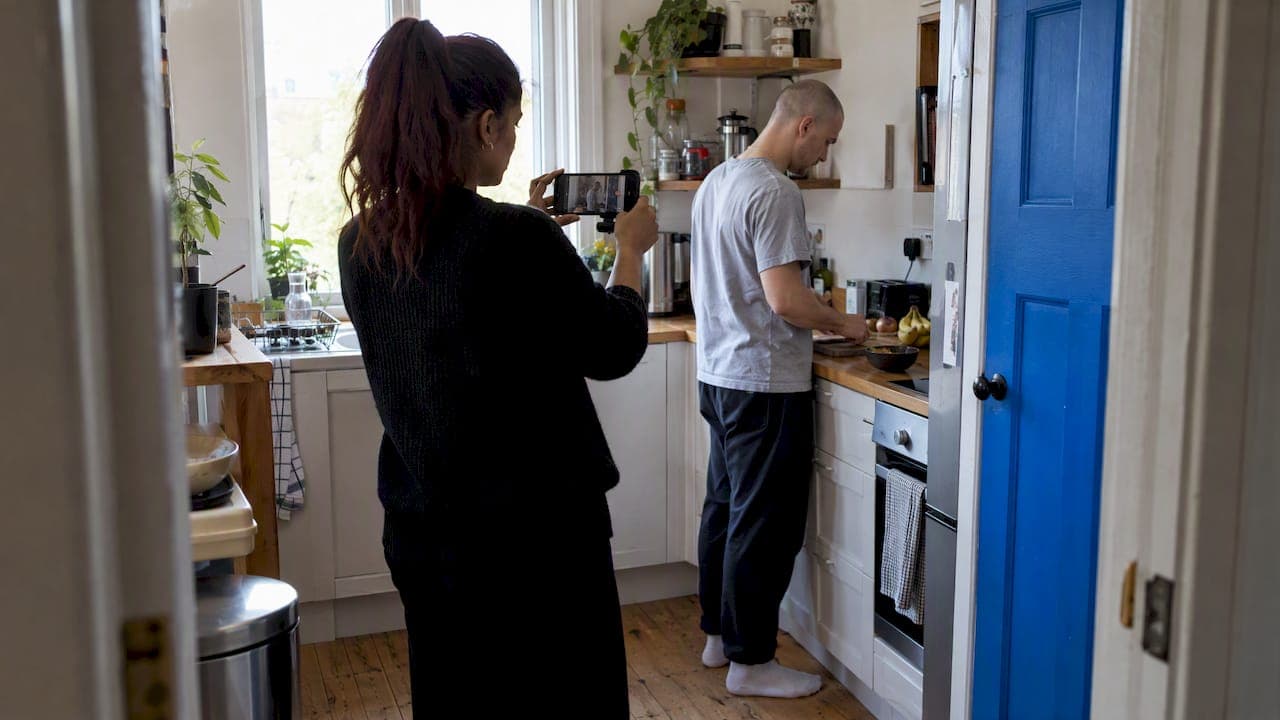
You can make a mobile short film with the phone already in your pocket. The order matters more than the gear. Write a short script, break it into shots, film with steady hands and clean sound, then edit and grade on a phone or tablet. Most weak phone films fail on planning and audio, not on the camera. This guide walks through each stage, and covers how to make a music video on your phone using the same workflow.
TL;DR
- Plan first: a script, a storyboard and a shooting schedule save more time than any accessory.
- Steadiness, light and sound decide how professional a phone film looks. A tripod, a window and a second phone for audio go a long way.
- Edit on your phone, or move to an iPad and DaVinci Resolve for a bigger screen, then add basic color correction.
- For a music video, play the track on a speaker next to the camera and sync every take by sound.
- If you would rather generate and direct the footage, our credit-based tools can take you from song or script to finished film.
Table of Contents
- Start with a story small enough to finish
- Plan the shoot before you press record
- Shoot steady, lit and clear
- What gear is worth buying
- Edit and finish
- How to make a music video on your phone
- Our perspective: plan like a director, then let the tools carry the weight
- Make your short film with Brix36
- FAQ
- Sources
Start with a story small enough to finish
A short film that works on a phone is usually one idea, a few locations and a handful of characters. Course material on phone filmmaking teaches the same sequence: take an idea, write it into a script and turn it into a short film through pre-production, production and post-production. Bart Weiss, who wrote a book on the subject, says a smartphone is the hub of creativity and that the book teaches how to tell a compelling story before it covers shooting techniques, accessories and software. Story comes first, gear second.
Practical limits help. Festival categories for mobile work tend to sit in a narrow window: one international competition accepts films of 3 to 10 minutes total length. Check the current rules of any festival you want to enter, but aiming for three to five minutes keeps your editing load realistic.
If you need a starting idea, a genre with a built-in constraint is easy to shoot. A few rooms, one actor and good sound can carry a tense scene, and a list of horror short film ideas you can shoot over a weekend shows how small a workable premise can be.

Plan the shoot before you press record
Planning is where phone filmmakers recover the control they lose by not having a crew. The research on this is consistent:
- Write the script. Keep scenes short and visual. If a line of dialogue can be an image, make it one.
- Storyboard the shots. Rough sketches are fine. The point is knowing what each shot needs to show.
- Make a shooting schedule. Course guidance recommends writing a script, storyboarding the shots and building a schedule, with numbered scenes grouped by location to save time.
The schedule matters because films are not shot in story order. A public library program on smartphone cinema notes that numbering scenes lets you film them out of order, which saves time across multiple locations. Shoot everything at the kitchen first, then everything at the park, and sort it out in the edit.
On the day, arrive early. The same library guide advises leaving time to practice, rehearse and re-plan, and playing each scene back after recording to check how it came out. Reviewing a take takes thirty seconds. Reshooting next weekend costs a lot more.
Ruben Kazantsev, a mobile filmmaker, suggests you treat your phone like an expensive studio camera and plan accordingly. That mindset changes behavior: you check the lens, clear the storage and charge the battery the night before.
Two of our own guides help here. A step-by-step script breakdown turns a script into a list of what you need per scene, and a workflow from script to animatic shows how to test your pacing before you film anything. If you want to study editing rhythm before you plan your own cuts, six montage examples broken down shot by shot make a good study session.
Shoot steady, lit and clear
Three things separate home video from cinema on a phone: stability, light and sound.
Keep the frame steady
A university guide to smartphone video advises that you use a tripod or rest the device against something steady, and when handheld, hold it with two hands and lock your elbows against your body. A small tabletop tripod costs little and fixes most shaky shots. Handheld works when the shaking suits the scene, such as a chase, but it should be a choice.
Use the light you have
The same guide recommends filming in well-lit areas and avoiding backlighting. In practice, put your actor facing a window rather than in front of it. Shoot indoor scenes in daytime when you can. Phone sensors are small, so they reward good light more than any lens attachment will.
Pick the right settings
Many modern phones record 4K, and 30 frames per second is the recommended rate. If your phone has Cinematic Mode, you can control the aperture, which makes a huge difference to how much background blur your shots have. Lock exposure and focus on your subject before each take so the image does not shift mid-shot.
Vary your shots
A film made of one wide shot gets dull quickly. One filmmaker who shot a short on a phone found that varying shots, with panoramic effects, low angles, slow motion and close-ups, makes a film more engaging. The Smartphone Cinema Book adds that creative angles, such as attaching the phone to a skateboard or placing it on the ground, are fine as long as they don't get in the way of the story. Build a simple shot list per scene: wide, medium, close-up, and one insert detail.
If your film will live on social platforms, decide your aspect ratio before shooting. A production-ready vertical video workflow explains how to frame for 9:16 from the start, and our own practical 9:16 editing workflow covers the edit side.
Do not neglect sound
Pete Tomkies argues that creators should build an ideal environment for audio capture, since even the best visuals fail if the audio is poor. Two cheap habits help:
- Get close to the speaker. Distance is the biggest enemy of phone audio.
- Record audio on a second phone near the subject, and clap at the start so you can sync it during editing.
Also turn off fans, air conditioners and notifications before every take.
What gear is worth buying
You do not need much. A tripod and a decent microphone give the biggest return. The Smartphone Cinema Book names external microphones from Hollyland, DJI and Sennheiser, along with third-party camera apps that offer more control. It lists Hollyland microphones from $39.00 to $148.00 and a Sennheiser system that plugs into a phone at $299. Prices change, so check current listings.
| Item | What it fixes | Priority |
|---|---|---|
| Tripod or phone mount | Shaky frames, repeat framing between takes | First |
| External microphone | Thin, noisy dialogue | Second |
| Second phone for audio | Sound far from the camera | Free if you have one |
| Third-party camera app | Manual focus, exposure and frame rate | Optional |
| Window light or a lamp | Dark, grainy footage | Free to cheap |
Edit and finish
You can cut on the phone itself. If you want more room, the Videomaker guide suggests you edit on an iPad for a larger screen and use DaVinci Resolve. Whatever you use, the order is the same: assemble the story, trim for pace, fix the sound, then color.
Color is where a phone film starts to look like a film. Basic color correction can lend style to footage, and black and white can convey drama, mood and timelessness. Correct exposure and white balance first, then add a look. Our guide to LUT color grading explains why you should correct before you stylize, and building a believable film look with nodes shows how to do it without a heavy preset. If you want speed, one-click color grading explains what it does well and where you still need to step in.
Before you export, watch the film once on a phone speaker and once on headphones. Sound problems hide on one and show on the other.

How to make a music video on your phone
The same workflow applies, with one twist: the song is your script. Plan your shots and locations first. Then play the song on a speaker kept next to the camera so the artist can perform to it and the camera microphone captures it for syncing later. In the edit, DaVinci Resolve can line the takes up by that scratch audio.
A few practical points:
- Shoot the whole song several times. Different angles each pass give you coverage to cut between.
- Plan by bar, not by timecode. Our music video storyboard guide shows how to map shots to the structure of the song.
- Keep the speaker close to the camera, so the performance matches the audio you will sync to.
- Swap in the clean studio track over the scratch audio once the picture is locked.
We also wrote a longer walkthrough on making an AI music video from your song for artists who want visuals without a shoot.
Our perspective: plan like a director, then let the tools carry the weight
We built Brix36 for artists, filmmakers and creators who have the idea but not the crew. Our view is that the hard part of filmmaking is rarely the camera. It is the production process: breaking a story into sections, keeping a look consistent, and matching picture to sound. That is where most mobile projects stall.
So we designed our platform around those steps. Section-based storyboarding lets you plan a film or music video part by part. One-tap looks are meant to give you a professional finish without needing grading expertise. Artist DNA profiles are designed to keep a creator's visual identity consistent across a project. For music videos, our lip-sync tools are built to match performance to lyrics.
We also think the payment model should fit how creators actually work. Projects come in bursts. That is why we use pay-as-you-go credits instead of a subscription: you pay for what you make, and nothing runs while you are between projects.
Phone footage and generated footage are not rivals. Film what you can film well, such as real performances and real places, and use AI tools for what you cannot reach. Our mobile app also supports integration with AI assistants for remote production control, so you can steer a project away from your desk.
— simeon
Make your short film with Brix36
If you want to go from idea to finished short without a full shoot, our short film maker lets you build a film around Artist DNA, so your characters and look stay consistent from scene to scene. For songs, the AI lip sync music video tool turns lyrics into performance footage. You buy credits and spend them as you create. See the credits page for current packs and the credits information page for how they work.

Still deciding? Our article on AI short films, with festival picks to watch first is a good place to see what is possible, and our guide to mobile filmmaking with cinematic video covers the camera-side basics in more depth.
FAQ
How do you make a short film with a mobile phone?
Write a short script, storyboard the shots and build a shooting schedule that groups scenes by location. Film with a tripod or braced elbows, good light and clean audio, then edit and add basic color correction. Spending most of your time on planning and sound gives the biggest improvement.
Can you really make a music video on your phone?
Yes. Plan your shots and locations, then play the song on a speaker next to the camera while the artist performs. Editing software such as DaVinci Resolve can sync the takes by the audio the camera picked up. Shoot the full song several times from different angles so you have material to cut between.
What is the best frame rate and resolution for phone films?
Many current phones can shoot 4K, and Videomaker recommends 30 frames per second. Pick one setting and use it for the whole project so clips match in the edit. Check your phone's camera settings, since options vary by model.
How long should a mobile short film be?
There is no fixed rule, but festival categories for mobile films often fall in a range such as 3 to 10 minutes. Three to five minutes is a manageable target for a first film. Check the rules of the specific festival you want to enter.
Do I need an external microphone?
It is not required, but sound is the most common weakness in phone films. Getting close to the speaker and recording on a second phone near the subject helps, and an external microphone is the next upgrade. Prices for the models named by the Smartphone Cinema Book range from $39.00 to $299.
Sources
- Create a Short Film with Your Smartphone, The Mobile Academy
- Smartphone Cinema Book, VideoFest
- Smartphone Cinema: Create a Short Film with Your Phone, LA County Library
- Getting started with mobile movie making, Ruben Kazantsev
- Smartphone Video Production, University of Sydney
- Smartphone Cinematography, Videomaker
- I Made a Short Film Using My Phone, MakeUseOf
- How to Make a Music Video on Your Own, Nathan Duffy
- International Mobile Film Festival
- Horror short film ideas to shoot with a phone
- Vertical video workflow for brands
- Six montage examples to study